BenQ SW271C Review: The Ultimate 4K Monitor for Photo Editing?
In the world of digital creation, the monitor is the window to your work. For photographers, videographers, and digital artists, this window must be flawlessly clear, representing colors not as they might be, but as they truly are. The search for a truly color-accurate monitor can be a frustrating journey, fraught with technical jargon and compromises. A display that cannot be trusted to show true-to-life color can undermine hours of meticulous editing, leading to prints that don't match the screen or video grades that look different on other devices. It is into this high-stakes environment that BenQ introduces the SW271C, a 27-inch 4K monitor engineered specifically for the professional creative who demands uncompromising color fidelity. This review delves deep into its features, performance, and overall value to determine if it truly is the ultimate display for color-critical work.
As an affiliate, we may earn from qualifying purchases. This does not affect our editorial content or the price you pay.Who is the BenQ SW271C For?
The BenQ SW271C is not a general-purpose display; it is a specialized tool designed with a very specific user in mind. Its primary audience is the professional or serious enthusiast photographer, particularly those whose work is destined for print. The monitor's exceptional coverage of the Adobe RGB color space is its defining feature, making it an ideal choice for artists who need to soft-proof images and ensure that the vibrant colors captured by their cameras will translate accurately to the printed page. Furthermore, videographers and colorists working on projects for broadcast or digital delivery will find its comprehensive color support and hardware calibration capabilities essential for maintaining a consistent and accurate workflow. In short, if your profession or passion relies on seeing and manipulating color with the highest degree of accuracy, and you are willing to invest in a tool that guarantees that precision, the SW271C is built for you.
Deep Dive: Key Features & Specifications
The BenQ SW271C is packed with technology aimed at delivering on its promise of color perfection. From its panel and processing to its physical design, every element is tailored to the needs of a demanding creative professional.
Flawless Color Accuracy & Gamut Coverage
The heart of the SW271C is its 27-inch 4K (3840x2160) IPS panel, but its true power lies in its color reproduction capabilities. The monitor boasts coverage of 99% of the Adobe RGB color space, 100% of sRGB/Rec.709, and 90% of DCI-P3. This extensive gamut is crucial for photographers who shoot in RAW and edit in a wide-gamut space like Adobe RGB, as it allows them to see the full range of colors their camera captured. For videographers, the strong DCI-P3 coverage ensures accuracy when grading for digital cinema. This color fidelity is guaranteed by a factory calibration that ensures a Delta E (the metric for color difference) of less than or equal to 2, a threshold where color inaccuracies are virtually imperceptible to the human eye. This precision is achieved through a 16-bit 3D Look-Up Table (LUT), which allows for exceptionally smooth color gradations and precise RGB color blending. BenQ's proprietary AQCOLOR technology underpins this performance, representing the company's commitment to color accuracy, while its Uniformity Technology actively divides the screen into sub-regions and fine-tunes them to maintain consistent brightness and color from corner to corner, eliminating frustrating bright or dark spots.
Hardware Calibration for Ultimate Control
While most monitors rely on software calibration, which adjusts the output of the computer's graphics card, the SW271C features true hardware calibration. This allows users to connect a supported colorimeter (sold separately) and use BenQ's Palette Master Element software to write calibration data directly to the monitor's internal image processing chip. The advantage is significant: the monitor is calibrated independently of the computer's graphics card, ensuring that color profiles are consistent, stable, and not subject to changes from the operating system or graphics drivers. This method provides a more accurate and reliable result, giving professionals the confidence that their monitor is always displaying colors as intended, regardless of the computer it's connected to. The monitor is also Calman Verified and Pantone Validated, offering further third-party assurance of its color performance.
Designed for a Professional Workflow
BenQ understands that a professional monitor is more than just a panel; it's the centerpiece of a workflow. The SW271C includes several features designed to enhance productivity. The most notable is the Hotkey Puck G2, a small external controller that allows for instant switching between color modes (such as Adobe RGB, sRGB, and a specialized Black & White mode), as well as quick adjustments to brightness and contrast without navigating cumbersome on-screen menus. The monitor also ships with a substantial, detachable shading hood. This accessory is critical for reducing screen glare and reflections from ambient light, ensuring that the colors you see are coming from the panel itself, not from environmental contamination. The stand is robust and highly ergonomic, offering 150mm of height adjustment, tilt, swivel, and a full 90-degree pivot into portrait mode. Connectivity is also comprehensive, featuring a USB-C port that provides video, data, and 60W of power delivery over a single cable. This is complemented by two HDMI 2.0 ports, a DisplayPort 1.4 input, a built-in USB 3.1 hub, and a convenient SD card reader, streamlining the process of connecting laptops and peripherals.
Real-World Performance: How Does It Actually Look?
Specifications on paper are one thing, but the true test of a professional monitor is how it performs in a real-world creative workflow. The SW271C delivers an experience that largely lives up to its professional billing.
Photo Editing & Print Proofing
When editing photographs, the monitor's performance is exceptional. The 4K resolution on a 27-inch screen provides incredible detail and sharpness, allowing for precise retouching and evaluation of focus. In its calibrated sRGB mode, colors are described as having a "print-like" quality, closely matching the output from professional printers and previews on mobile devices like Instagram. This is a massive benefit for photographers who need to deliver consistent results across digital and physical media. The wide Adobe RGB gamut truly shines when working with 16-bit RAW files, revealing subtle gradations and rich colors that would be clipped or lost on a standard sRGB display. Furthermore, BenQ's Paper Color Sync software allows users to simulate the look of their images on specific paper and printer combinations, providing a more accurate soft-proofing experience than what is available in standard editing applications alone.
Video Editing & Color Grading
For videographers, the SW271C is a very capable, though not perfect, tool. Its ability to display native video frame rates, including 24p, 25p, and 30p, ensures smooth, judder-free playback during editing, which is a feature often missing from standard computer monitors. The accurate color reproduction and excellent uniformity are invaluable for color grading, ensuring that adjustments are consistent across the entire frame. However, its HDR performance is a notable limitation. While it supports HDR10 and HLG formats, its peak brightness of around 300-350 nits and lack of a sophisticated local dimming system mean it cannot produce the specular highlights and deep blacks required for a true HDR mastering experience. It is perfectly suitable for editing SDR content and previewing HDR content, but professionals mastering for HDR delivery will require a more specialized and significantly more expensive display.
Pros and Cons: A Balanced View
The BenQ SW271C is a highly specialized and powerful monitor, but it comes with a specific set of strengths and weaknesses that potential buyers must weigh carefully. Its most significant advantages are its outstanding color accuracy and wide gamut coverage, particularly the 99% Adobe RGB space, which is a critical feature for print-focused photographers. The inclusion of true hardware calibration via the 16-bit 3D LUT ensures that this accuracy is reliable and long-lasting. Workflow enhancements like the Hotkey Puck G2, the included shading hood, and the versatile connectivity with 60W Power Delivery via USB-C make it a practical and efficient tool for daily professional use. The excellent panel uniformity also guarantees consistency across the entire image, which is crucial for critical editing tasks.
On the other hand, the monitor is not without its drawbacks. The most prominent is its high price, which places it firmly in the professional investment category and may be prohibitive for hobbyists or those on a tighter budget. Its HDR performance is also quite limited; while it can process an HDR signal, it lacks the brightness and contrast to deliver a true high dynamic range image, making it unsuitable for HDR mastering. The physical design, with its relatively thick bezels and large stand, feels somewhat dated compared to the sleek, minimalist designs of many contemporary monitors. Finally, while it displays 1.07 billion colors, it achieves this using an 8-bit+FRC (Frame Rate Control) panel rather than a true 10-bit panel, a common practice in this price segment but a point of distinction from top-tier, and much more expensive, broadcast monitors.
Are There Any Good Alternatives?
For those considering the SW271C, one of the most compelling alternatives is the Dell U2723QE. The Dell presents a different value proposition. Its key advantage is the use of IPS Black technology, which delivers a static contrast ratio of 2000:1, double that of the BenQ. This results in noticeably deeper blacks and a richer, more vibrant image. The Dell also functions as a superior connectivity hub, offering 90W of power delivery over USB-C, a built-in KVM switch for controlling multiple computers, and an integrated Ethernet port. However, where the Dell falls short for the SW271C's target audience is in its color gamut. While it has excellent DCI-P3 coverage (98%), its Adobe RGB coverage is significantly lower, typically around 87-90%. This makes the BenQ SW271C the superior choice for photographers whose workflow is heavily dependent on the wider Adobe RGB color space for print proofing, while the Dell U2723QE may be a better all-around option for users who prioritize contrast, connectivity, and work primarily in sRGB or DCI-P3.
The Verdict: Is the BenQ SW271C Worth the Investment?
After a thorough analysis, the BenQ SW271C proves to be an exceptional monitor for its intended purpose. It is a precision instrument designed for creative professionals who cannot afford to guess when it comes to color. Its combination of a wide Adobe RGB gamut, impeccable factory calibration, and the power of true hardware calibration makes it a trustworthy foundation for any color-critical workflow, especially in photography and print design. The thoughtful workflow features, like the Hotkey Puck and shading hood, demonstrate a deep understanding of the professional's daily needs.
While the price is substantial and its HDR capabilities are basic, these are calculated trade-offs. BenQ has focused its resources on what matters most to its target user: unparalleled color fidelity in standard dynamic range. It is best for the professional photographer who needs to bridge the gap between the digital and printed image, the graphic designer who requires absolute color confidence, and the videographer working primarily in SDR. If your work lives and dies by the accuracy of the Adobe RGB color space, the BenQ SW271C is not just a good monitor; it is a necessary and worthwhile investment in your craft.
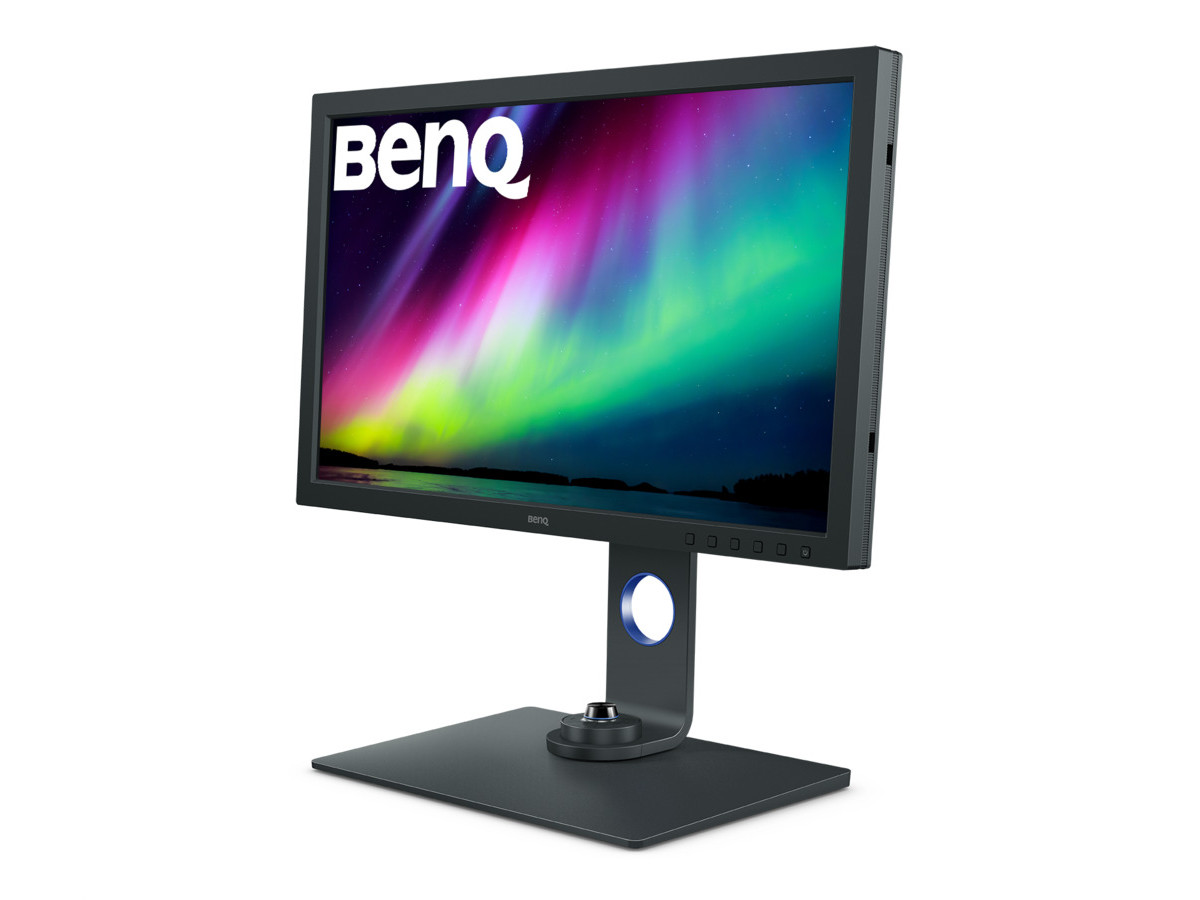
Best for Color-Critical Photography
BenQ SW271C
Ready to upgrade your workflow? Find the BenQ SW271C on Amazon
Frequently Asked Questions (FAQ)
Does the BenQ SW271C have a true 10-bit panel?No, the BenQ SW271C uses an 8-bit+FRC (Frame Rate Control) panel to achieve its 1.07 billion color display. FRC is a technique where the panel rapidly flashes between two colors to simulate an intermediate shade, effectively mimicking the color depth of a true 10-bit panel. This is a very common and effective technology used in many professional monitors in this price range and is visually indistinguishable from true 10-bit for most applications, providing smooth gradients without banding.
Is the BenQ SW271C good for gaming?No, the BenQ SW271C is not recommended for gaming. It is a professional creative monitor with a 60Hz refresh rate and a 5ms response time. It lacks features crucial for a modern gaming experience, such as a high refresh rate (120Hz or higher), support for variable refresh rate technologies like FreeSync or G-Sync, and ultra-fast response times. While casual gaming is possible, competitive gamers will find the performance lacking.
What's the main difference between the SW271C and the older SW271?The SW271C is an iterative update to the SW271. While the core 4K panel and color gamut capabilities are similar, the SW271C introduces several key refinements. These include improved Uniformity Technology for more even brightness and color across the screen, the addition of Paper Color Sync software for enhanced print proofing, and an upgraded Hotkey Puck G2. The connectivity has also been updated, most notably the USB-C port which offers a higher power delivery at 60W. These updates are focused on refining the professional workflow and improving overall consistency.